Connect official accounts
Authorized administrators sign in through the supported social network and choose the municipality’s official account without entering provider IDs or access tokens into CivicOps.

Social media management for municipalities
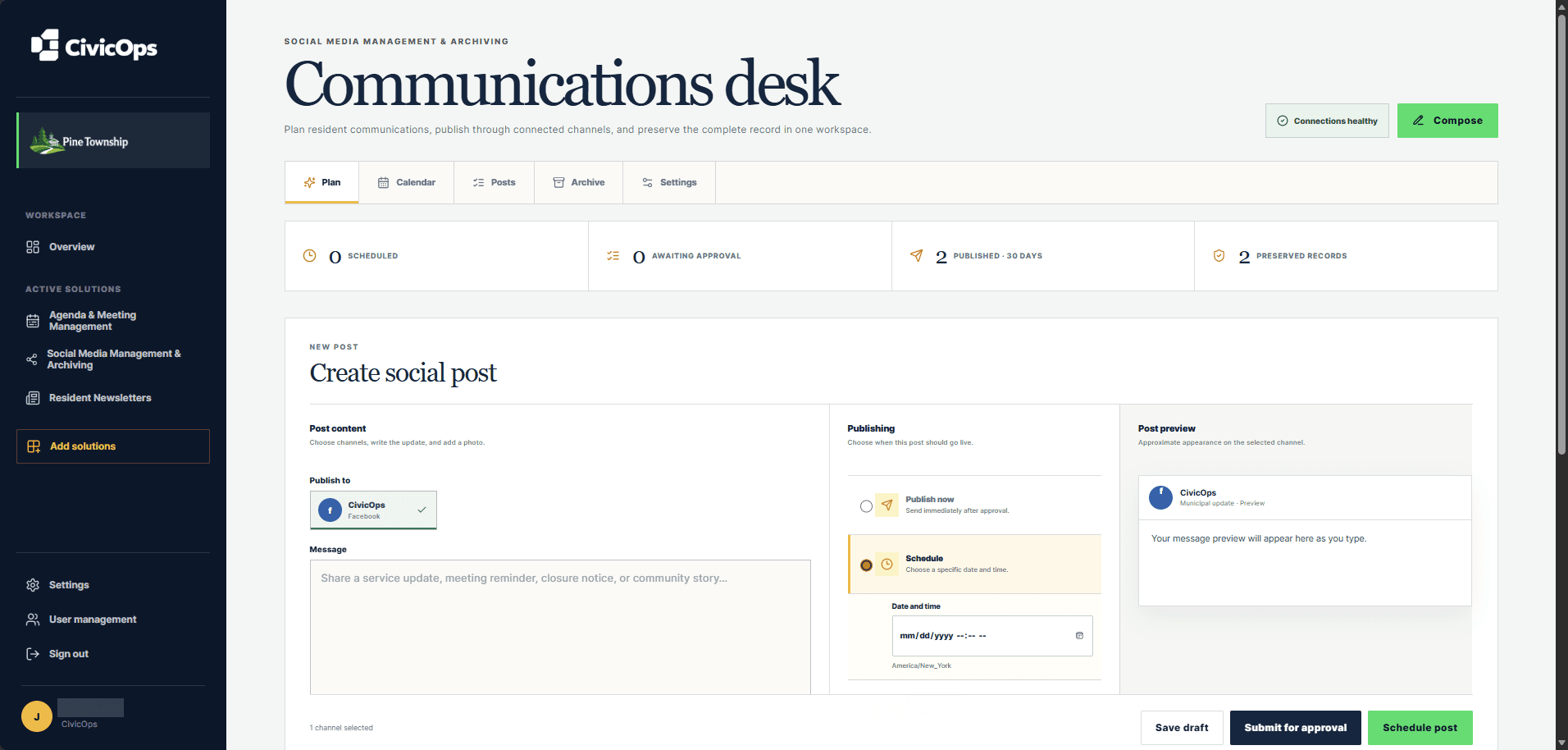
CivicOps gives local government communicators a focused desk for connected official accounts, post drafts, media, review, approvals, scheduling, previews, and publishing.
Includes social media management and archiving for municipalities under 10,000 residents. Every eligible self-serve plan starts with a 30-day free trial.
Compare every population tierWhat your team can do
Authorized administrators sign in through the supported social network and choose the municipality’s official account without entering provider IDs or access tokens into CivicOps.
Write the resident update, choose connected channels, upload an image, and include accessible alternative text before the post moves forward.
See an approximate channel preview beside the draft so staff can review the message and selected media in context.
Publish an approved update now or choose a specific date and time in the municipality’s configured timezone.
Assign communications approvers, submit a draft for review, and keep approval decisions or requested changes beside the post.
Use clear status views for drafts, approvals, scheduled posts, published posts, and connection health instead of searching across separate tools.
A clearer operating rhythm
Choose official channels and prepare the resident message and media.
Send the draft to assigned municipal approvers and resolve requested changes.
Release immediately or schedule the approved post for the right local time.
Built for lean municipal teams
The workspace uses plain-language status and a familiar compose flow so staff can publish without learning provider APIs. Administrative settings keep channel connections and approval responsibilities in the right hands.
Questions municipalities ask
No. CivicOps administrators use the network’s sign-in flow and choose an eligible official account. CivicOps never asks the municipal user to paste an access token into the workspace.
Yes. Municipal administrators can assign communications approvers, and staff can submit drafts for approval before publishing or scheduling them.
Yes. The composer supports image upload and shows an approximate preview for the selected connected channel.
Network availability depends on each provider’s API and the configuration of the municipality’s official account. The CivicOps connection screen shows which providers are currently ready to connect.
Start with the work in front of you