Save boards and commissions once
Maintain an official directory of councils, boards, and commissions, then select the right public body from a consistent dropdown whenever staff schedule a meeting.

Agenda and meeting management software
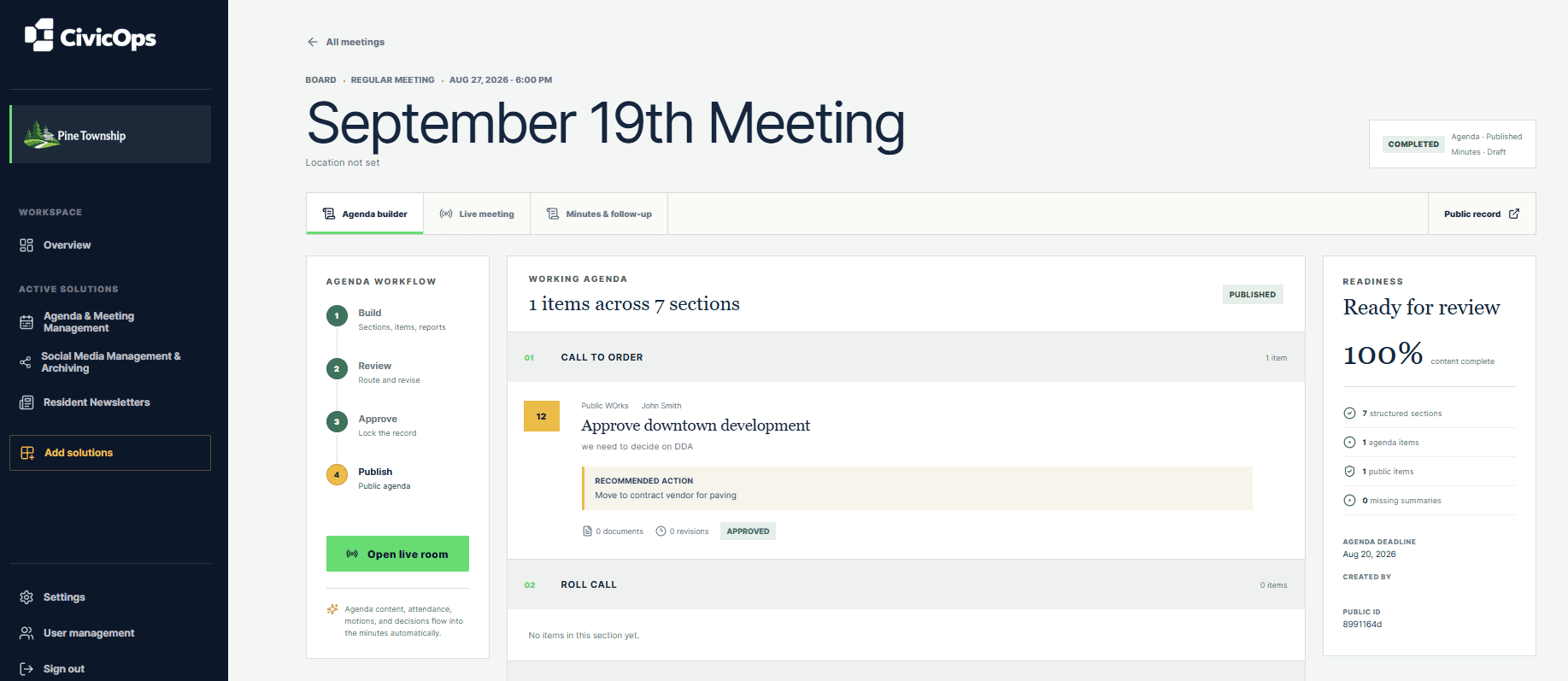
CivicOps gives municipal clerks one structured workspace for agenda intake, ordered approvals, private preparation, versioned packets, the live meeting, public publishing, and optional human-reviewed Meeting AI after activation.
For municipalities with fewer than 10,000 residents. Every eligible self-serve plan starts with a 30-day free trial.
Compare every population tierWhat your team can do
Maintain an official directory of councils, boards, and commissions, then select the right public body from a consistent dropdown whenever staff schedule a meeting.
Let contributors submit agenda items with supporting reports, route each item through the municipality’s ordered approval steps, and keep returns, revisions, decisions, and status in one history.
Authorized users can save private notes against an agenda item or supporting report, including an optional quoted passage and page reference. Those notes stay out of the packet and public record.
Generate a downloadable PDF from the approved agenda order and available PDF attachments, preview it in CivicOps, and retain each packet version with its page count and creation record.
Keep the agenda queue, current item, attendance, speakers, notes, motions, and votes in one operational meeting view so the clerk can move the room forward without losing context.
Add an existing transcript or upload an audio or video recording up to 500 MB. CivicOps processes long recordings in the background, reports progress, retries safely, and removes raw media after transcription.
After optional Meeting AI activation, generate agenda-linked minute sections and proposed motions, movers, seconders, outcomes, and votes with source timestamps and confidence. A clerk must verify every motion before it enters the official record.
Create reusable style profiles with format instructions and an approved example. Choose a profile for each draft, and CivicOps snapshots the version used for an auditable record.
Publish the selected packet with the approved agenda and minutes, then link to a searchable CivicOps archive or embed its list or calendar view directly in an existing municipal or WordPress website.
Download an editable Word document or a paginated, presentation-ready PDF with meeting details, attendance, agenda organization, motions, and roll-call votes.
Authorized staff publish the approved agenda or minutes to a resident-facing record. With Resident Newsletters active, CivicOps also sends branded agenda, minutes, and cancellation notices to the residents following that public body.
A clearer operating rhythm
Collect agenda items, supporting reports, ordered approvals, and private preparation notes.
Preview, download, and intentionally publish the selected PDF version to the resident record.
Run roll call, capture speakers and votes, or securely process a recording up to 500 MB after the meeting.
Review agenda-linked AI proposals, verify motions, export Word or PDF, and publish to the website-ready archive.
Built for lean municipal teams
Clerks get a complete view of the record, department contributors follow a clear intake path, and authorized board members can prepare with notes only they can see. Municipalities can begin with meeting management and add communications tools later.
Questions municipalities ask
Yes. Authorized staff can generate, preview, and download a versioned PDF from the structured agenda and available PDF attachments. Unsupported attachment formats remain identified in the packet index rather than being silently omitted.
No. Meeting AI is an optional feature that CivicOps activates after provider configuration. When enabled, its output remains a proposal: an authorized person reviews source timestamps and accepts, edits, rejects, or regenerates each section before applying text. Publication is a separate human action.
No. Preparation annotations are visible only to their creator within the municipal workspace and do not appear in packets or resident-facing meeting records. As with other hosted customer data, limited authorized service, security, legal, and backup handling is governed by the customer agreement and CivicOps policies.
Yes. The live meeting workspace records motions, movers, seconders, individual votes, and results against the active agenda item.
Yes. Authorized staff can publish approved meeting content and a selected packet to a public record. CivicOps also provides a searchable municipal meeting archive that can be linked or embedded on an existing website.
Yes. Authorized users can download an editable native Word document or a polished, paginated PDF from the current meeting record.
Yes. With Meetings and Resident Newsletters active, residents can follow all public meetings or select individual boards and commissions. CivicOps sends branded agenda, minutes, and cancellation notices with a link to the public meeting record.
No. CivicOps provides workflow and records tools. Each municipality remains responsible for its procedures, accessibility review, retention schedule, and disclosure obligations.
Start with the work in front of you