Design reusable municipal templates
Start from a CivicOps layout, apply the municipality’s saved logo and colors, format text, add images and buttons, and save the finished design as an editable template.
Newsletter software for municipalities
Create branded municipal newsletters, reuse editable templates, manage permission-based audiences, publish signup forms, automate meeting notices, and preserve every final send.
For municipalities with fewer than 10,000 residents. Every eligible self-serve plan starts with a 30-day free trial.
Compare every population tierWhat your team can do
Start from a CivicOps layout, apply the municipality’s saved logo and colors, format text, add images and buttons, and save the finished design as an editable template.
Configure the from name, verified from email, reply-to address, and subject so the message represents the municipality and resident replies reach the right official.
Create hosted signup forms or copy embed code into the municipality’s website. When Meetings is also active, residents can follow all public meetings or choose individual boards and commissions.
Publishing an agenda or minutes and cancelling a meeting can automatically send a branded email with a public-record link. Each meeting keeps its recipient, delivery, failure, and open counts.
Assign newsletter approvers, submit the issue with a reviewer note, and keep approval or requested changes beside the working campaign.
Choose a delivery date and time in the municipality’s configured timezone, then view and edit scheduled campaigns before they are processed.
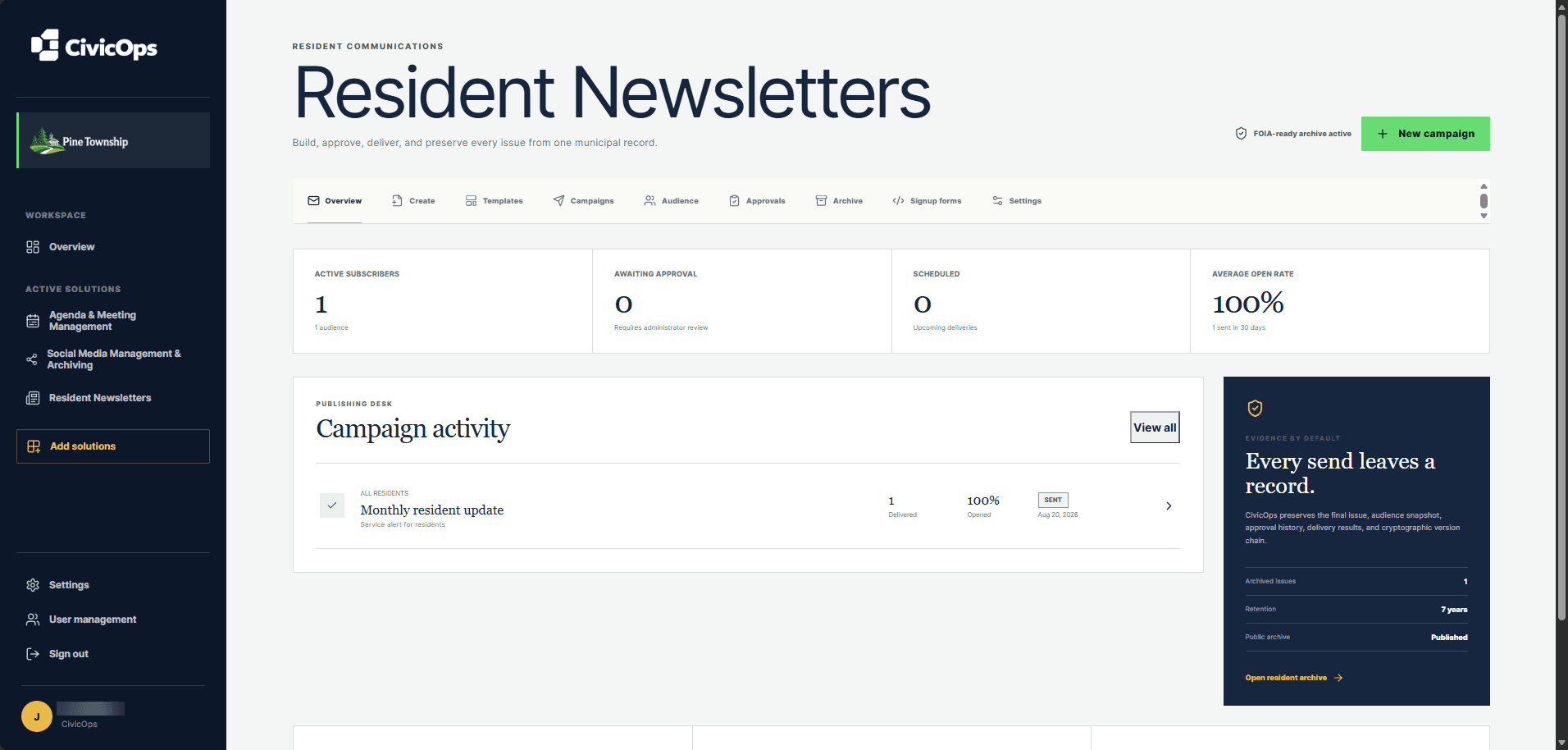
Keep the final issue, audience snapshot, approval history, delivery results, and available engagement evidence together in the newsletter archive.
A clearer operating rhythm
Choose a layout, write the issue, add media, and apply municipal branding.
Route the campaign to assigned reviewers and resolve requested changes.
Schedule delivery and retain the final issue with its audience and delivery record.
Built for lean municipal teams
The editor uses familiar content tools and saved municipal settings. Communications staff can focus on the update, reviewers can focus on the decision, and administrators can manage sender identity and audience controls separately.
Questions municipalities ask
Yes. Staff can save a campaign design as a template, choose it for a future issue, and continue editing the template as municipal needs change.
Yes. An approved campaign can be scheduled for a specific date and time, and scheduled campaigns remain available to view or edit before processing.
Yes. The municipality can save a reply-to address so resident replies go to the designated official rather than the delivery provider.
Yes. CivicOps provides a hosted form and copyable embed code for an existing municipal website. The form records consent, honors unsubscribe status, and can display board and commission choices when Meetings is active.
Yes. Municipalities using both Meetings and Resident Newsletters can automatically notify residents who follow all public meetings or a specific board or commission.
Start with the work in front of you